> For the complete documentation index, see [llms.txt](https://support.happydemics.com/llms.txt). Markdown versions of documentation pages are available by appending `.md` to page URLs; this page is available as [Markdown](https://support.happydemics.com/analysis/brand-lift-report/can-my-report-be-translated-in-the-broadcasting-language.md).
# Can my report be translated in the broadcasting language ?
Can I choose my report’s language and share it ?
You can customize your report’s language, choosing from six options : **French, English, Spanish, German, Portuguese and Italian.** The available languages are displayed according to the broadcast language of the campaign.
## Where do I select the language ?
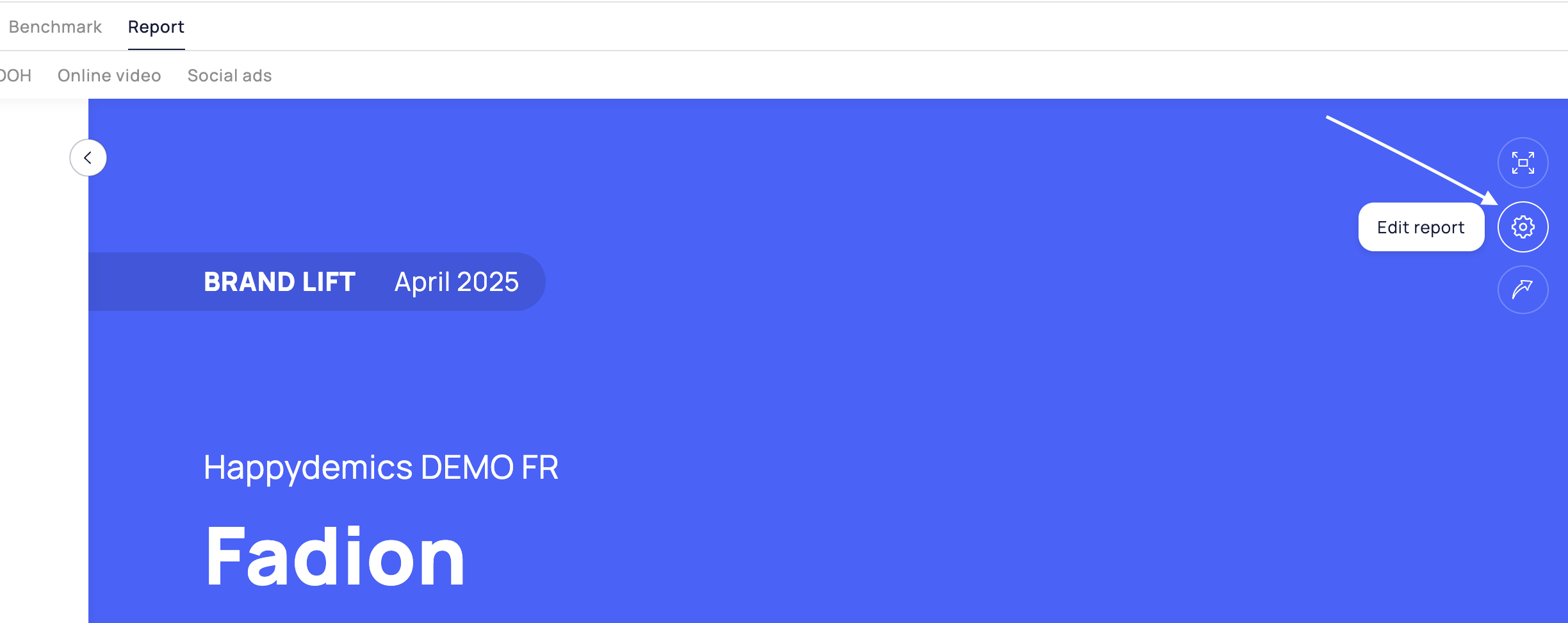
Go to your report and click on the **Edit report icon > Report tab**. Select the language you want.
💡 You can add comments directly in the right language and deliver ready-to-use insights.
## 👋Sill have questions ?
Feel free to reach out to us at — we’ll be happy to help!
## 🚀 Related articles
* [How do I customize my report ?](/analysis/brand-lift-report/how-do-i-customize-my-report.md)
* [How to share my report ?](/analysis/brand-lift-report/how-to-share-my-report.md)
* [How to understand my report ?](/analysis/brand-lift-report/how-to-understand-my-report.md)