> For the complete documentation index, see [llms.txt](https://support.happydemics.com/llms.txt). Markdown versions of documentation pages are available by appending `.md` to page URLs; this page is available as [Markdown](https://support.happydemics.com/launch/survey-customisation/can-i-edit-my-campaigns-title.md).
# Can I edit my campaign's title ?
Is it possible to customize the BL's title ?
Your Brand Lift's title can be customized for better visibility. Rename it as you wish and find it easily in the **Homepage search bar.**
## Edit the title
When creating your Brand Lift, click on t**he pen next to the BL title** and add the needed elements.
{% hint style="warning" %}
Keep in mind that the **brand name, country and date cannot be removed** and edition is only possible in the Brand Lift.
{% endhint %}
The template and the media channels chosen are displayed underneath.
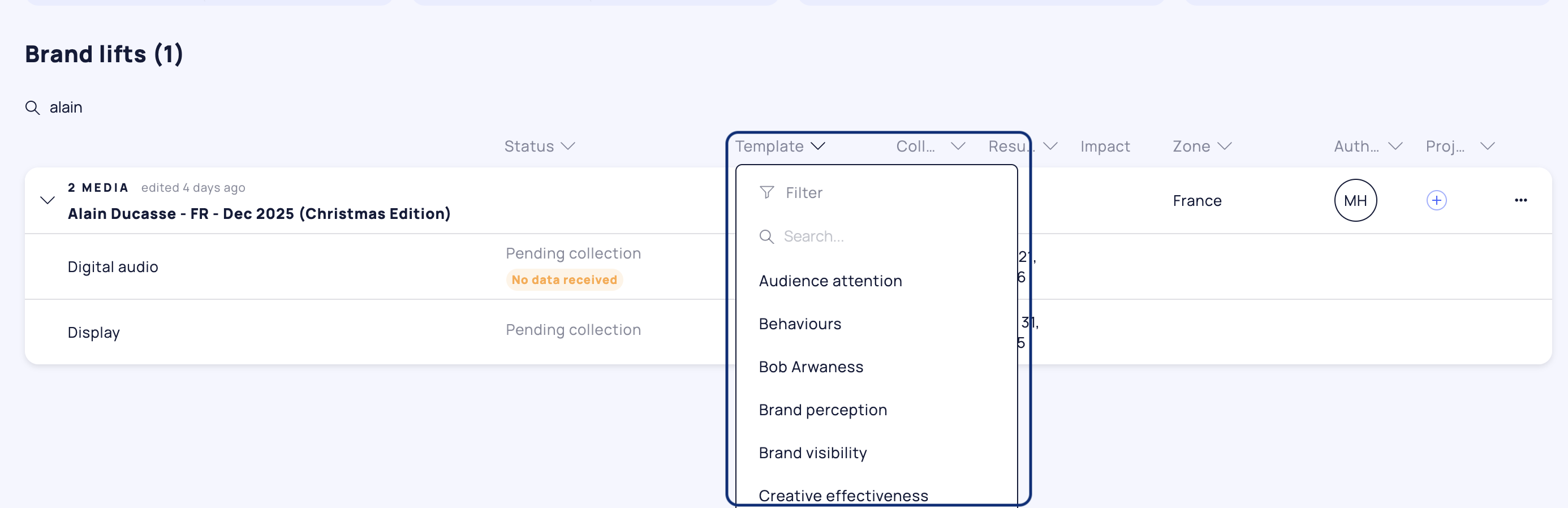
## Filter per template
In the Homepage, you can **filter your Brand Lifts by template** to display only those you need.
👋 **Still have questions?** Feel free to reach out to us at **** — we’ll be happy to help!
### 🚀 Related articles
* [Can I update or delete my Brand Lift ?](/feasibility/can-i-update-or-delete-my-brand-lift.md)
* [How to set up a brand lift?](/launch/the-set-up/how-to-set-up-a-brand-lift.md)
* [What do I need to launch a Brand lift?](/launch/before-the-set-up/what-do-i-need-to-launch-a-brand-lift.md)