> For the complete documentation index, see [llms.txt](https://support.happydemics.com/llms.txt). Markdown versions of documentation pages are available by appending `.md` to page URLs; this page is available as [Markdown](https://support.happydemics.com/launch/survey-customisation/how-many-kpis-can-i-add-in-a-brand-lift.md).
# How many KPIs can I add in a Brand lift ?
The maximum number of questions you can add to a Brand lift.
When [setting up](https://support.happydemics.com/launch/the-set-up/how-to-set-up-a-brand-lift) a Brand lift on Happydemics, you can include **up to 12 questions** in total in your questionnaire.
This limit helps ensure:
* high response quality
* smooth and timely data collection
* a good user experience for respondents
### Standard questionnaire structure (included by default)
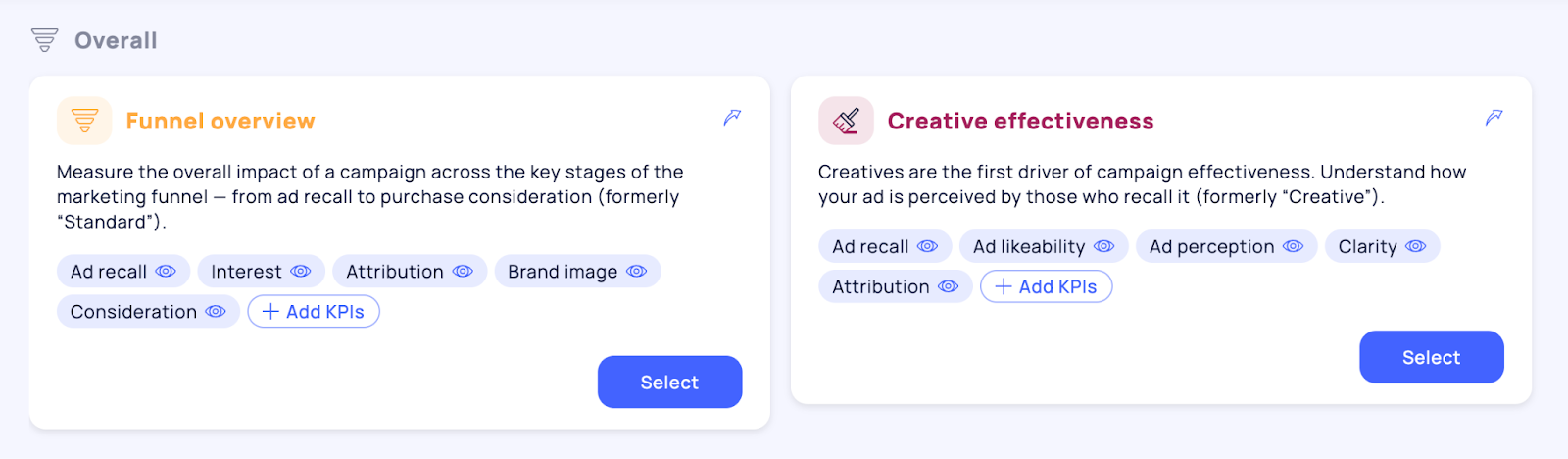
Whether you choose a [Happydemics template](https://support.happydemics.com/launch/the-set-up/how-to-choose-the-right-questionnaire-and-kpis) or build a [custom template](https://support.happydemics.com/launch/the-set-up/how-to-launch-a-brand-lift-with-a-custom-kpis-combination), the standard questionnaire structure (at no additional cost) includes:
#### 3 mandatory questions
These questions are always included:
* Ad Recall
* Age
* Gender
#### KPIs included
**Between 1 and 4 KPIs**, depending on the selected template or custom setup
This standard structure already allows you to measure campaign performance reliably.
### Adding additional KPIs
If your objectives require deeper analysis, you can enrich your questionnaire:
#### With additional KPIs
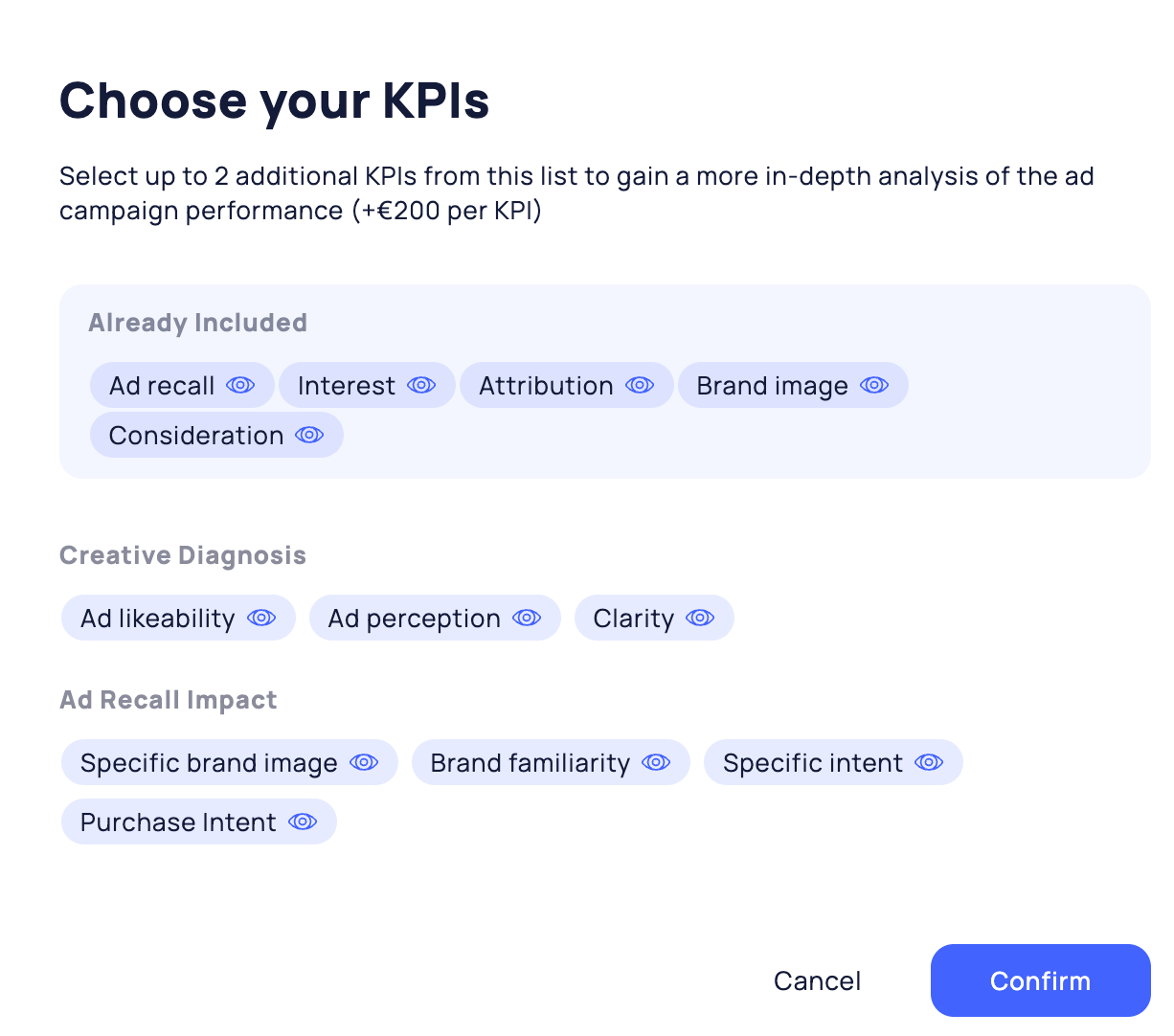
* For any template that includes 4 KPIs, you can add **up to** [**2 additional KPIs**](https://support.happydemics.com/launch/the-set-up/how-to-launch-a-brand-lift-with-a-custom-kpis-combination) (€200 each)
* This allows for more **granular insights** while keeping the questionnaire concise
#### With boosts & custom questions
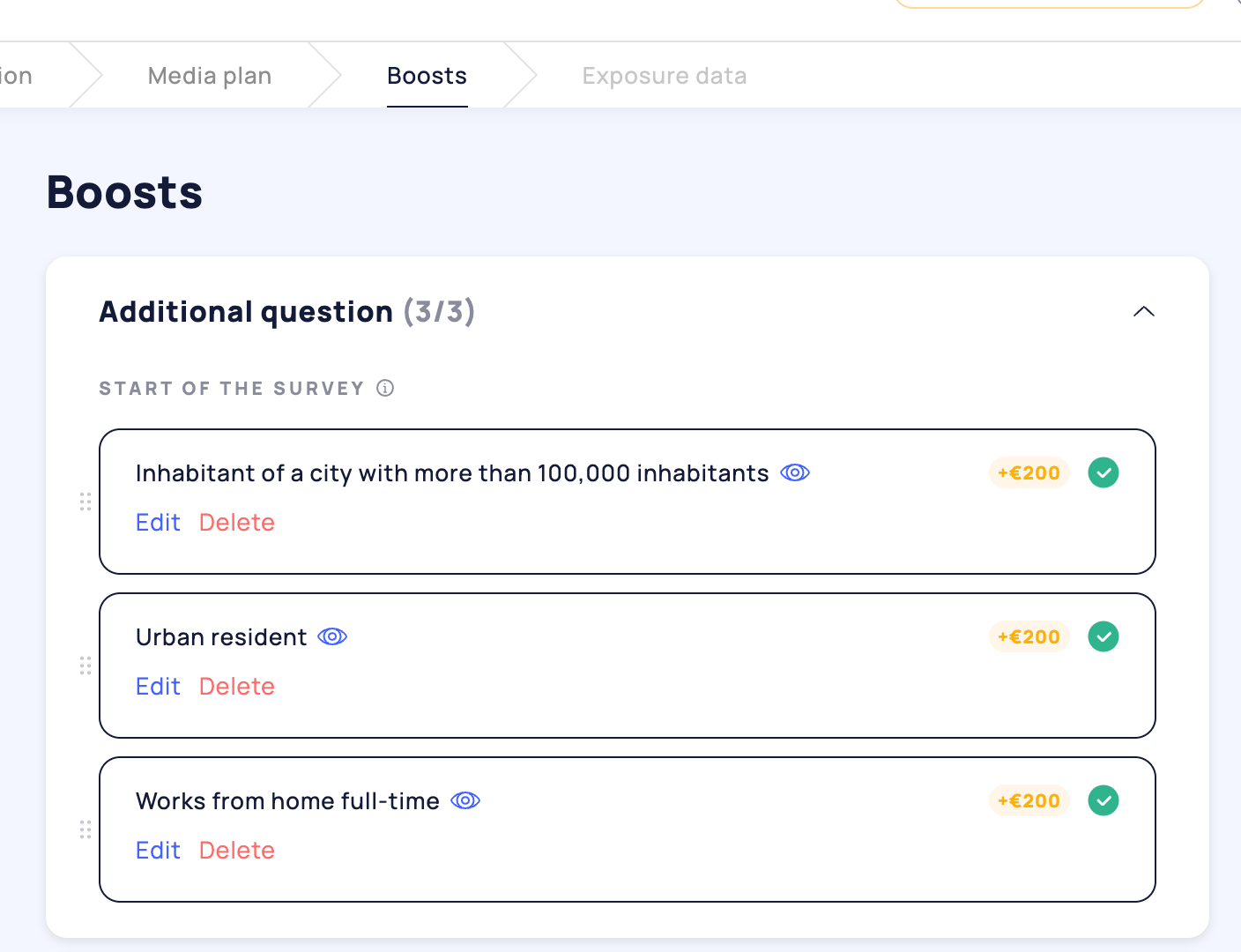
In the Boosts tab, you can further customize your study and add **up to 3 additional questions** (200€ each).
These can be:
* [Custom questions](https://support.happydemics.com/launch/survey-customisation/can-i-add-my-own-custom-questions)
* [Profiling questions ](https://support.happydemics.com/launch/survey-customisation/how-to-add-a-profiling-question)
Boosts are ideal when you need **extra insights** beyond standard KPIs, without compromising data quality.
👋 If you don't find your answer, feel free to reach out to **** for further consideration !
### 🚀 Related articles
* [How to launch a brand lift with a custom KPIs combination?](/launch/the-set-up/how-to-launch-a-brand-lift-with-a-custom-kpis-combination.md)
* [How to choose the right questionnaire and KPIs?](/launch/the-set-up/how-to-choose-the-right-questionnaire-and-kpis.md)
* [Can I update or delete my Brand lift ?](/feasibility/can-i-update-or-delete-my-brand-lift.md)
###